
Before you can create or update your menu, you will need to ensure that the items for the menu have been configured for use correctly in Simphony.
These are instructions for properties using Simphony 'Transaction services Gen 2' (TS_2)

For 'Transaction services Gen 1' (TS_1) please refer to this article Configuring Items (Simphony TS_1)
Configuring items in POS
- Add all items in EMC for the required Revenue Centre(RVC), ensuring the following have been configured
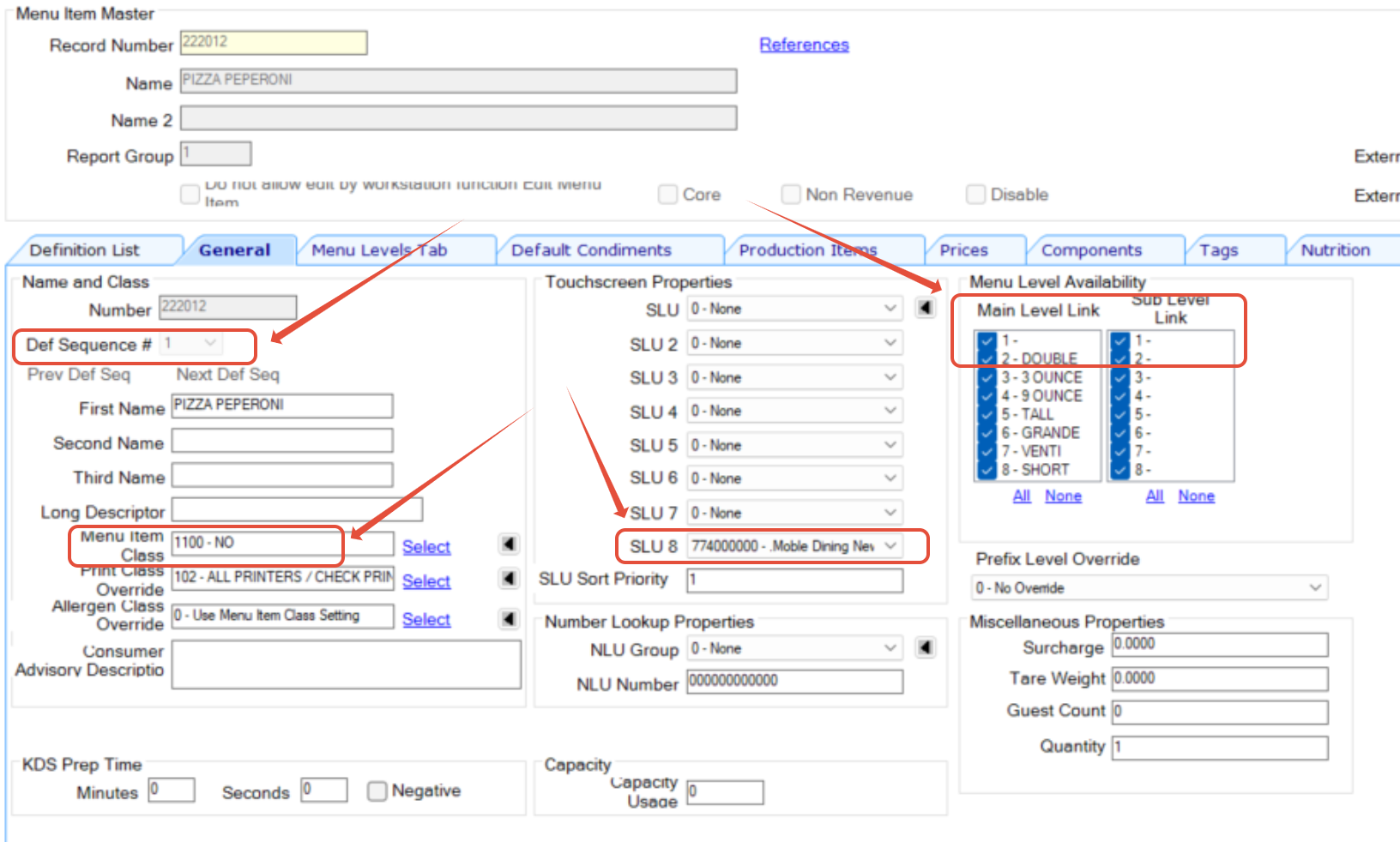
- The item must have a Slu Group selected in SLU8 (this is the default, Outets can use a differnt level, check an existing menu item to confirm which index to use)
- The item is in the definition level tab
- All items must use the same Definition Sequence (normally definition #1)
- The item has a price setup in record #1 at revenue centre level
- The price is 'active on all levels'
- The item main level and sub levels are not set to 00
- the item main level should have #1 selected
- The item has a menu item class
- Include any modifiers for the Dish items, and ensure they are set as 'forced Modifiers' ('required Condiment sets') and each option must have a Price Record (even if this is 0.00)
IMPORTANT - All these change MUST be VISIBLE at the RVC level
Check that the item has a Price Record (and any Modifier options that are to be used, even if 0.00)

Once changes have been made, wait up to 30min before performing a sync as EMC needs time to update these changes to the Oracle Cloud service before they can be seen.